
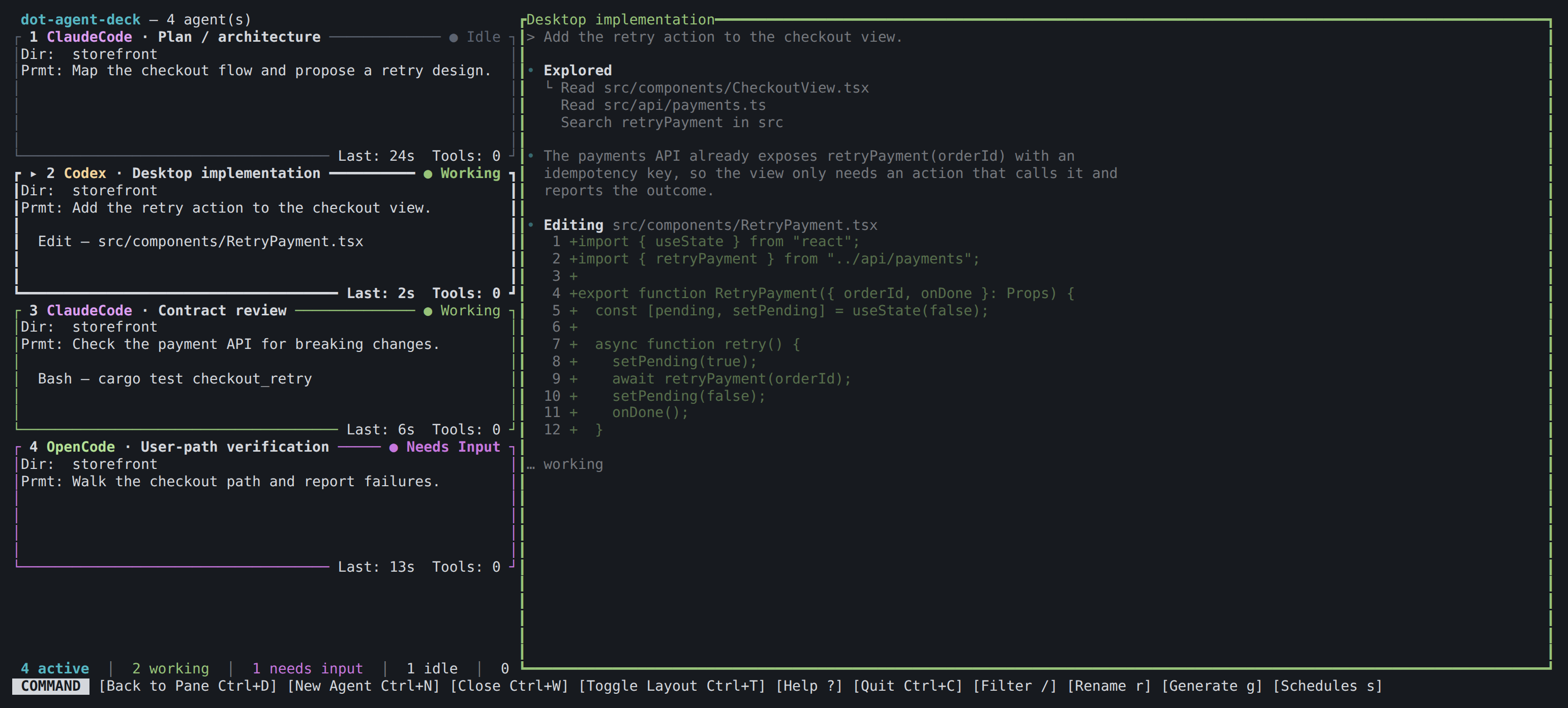
Terminal UI
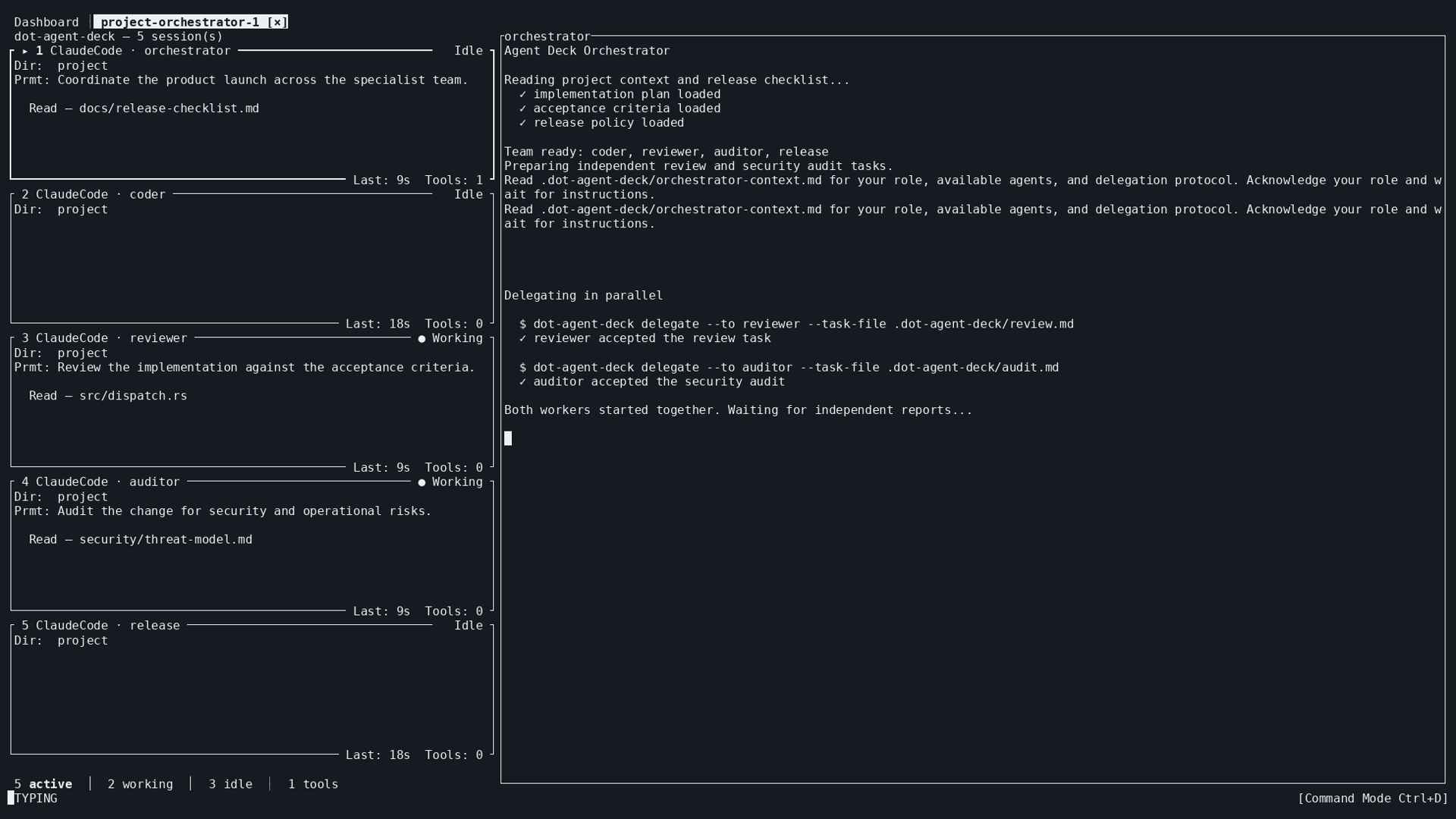
The dot-agent-deck binary, in the terminal you already use: agent cards beside their live panes, keyboard first, with the Schedules manager and remote hosts over ssh. It attaches to one daemon at a time.
Open source · MIT
Runs your AI coding agents under one background daemon, shows what each of them is doing in real time — in a terminal UI or in a desktop app, both watching the same agents — and starts new work for you: a team under one orchestrator, an isolated unit in its own copy of the repo, or a task that fires on a schedule.
Paste this into the coding agent you already use. It installs the deck, sets it up, and tells you what it can do and how to use it, so you can pick where to go from there.
Read https://agent-deck.devopstoolkit.ai/llms.txt, then install dot-agent-deck, set it up for me, and explain what it does and how to use it.
Prefer to do it yourself? Installation guide →
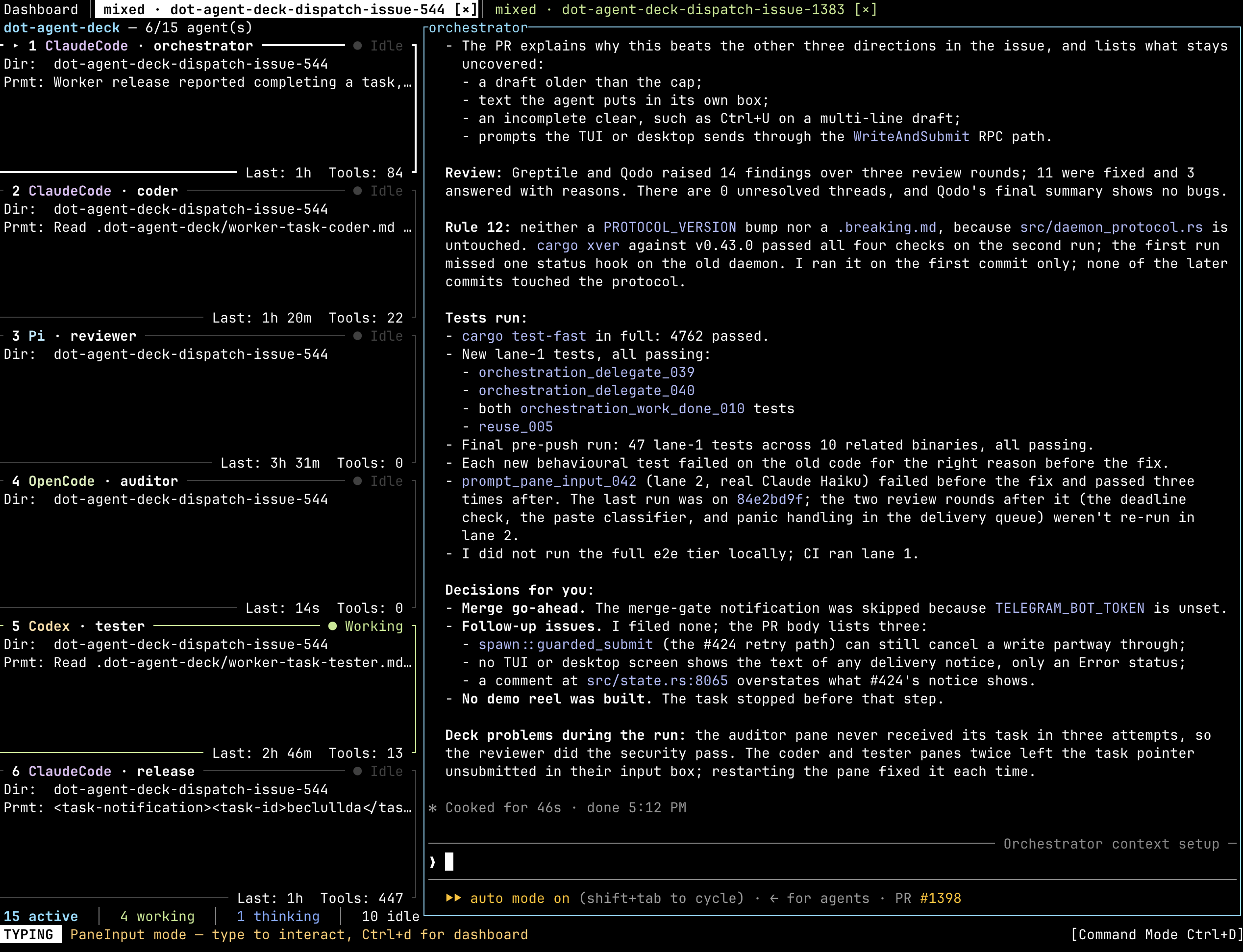
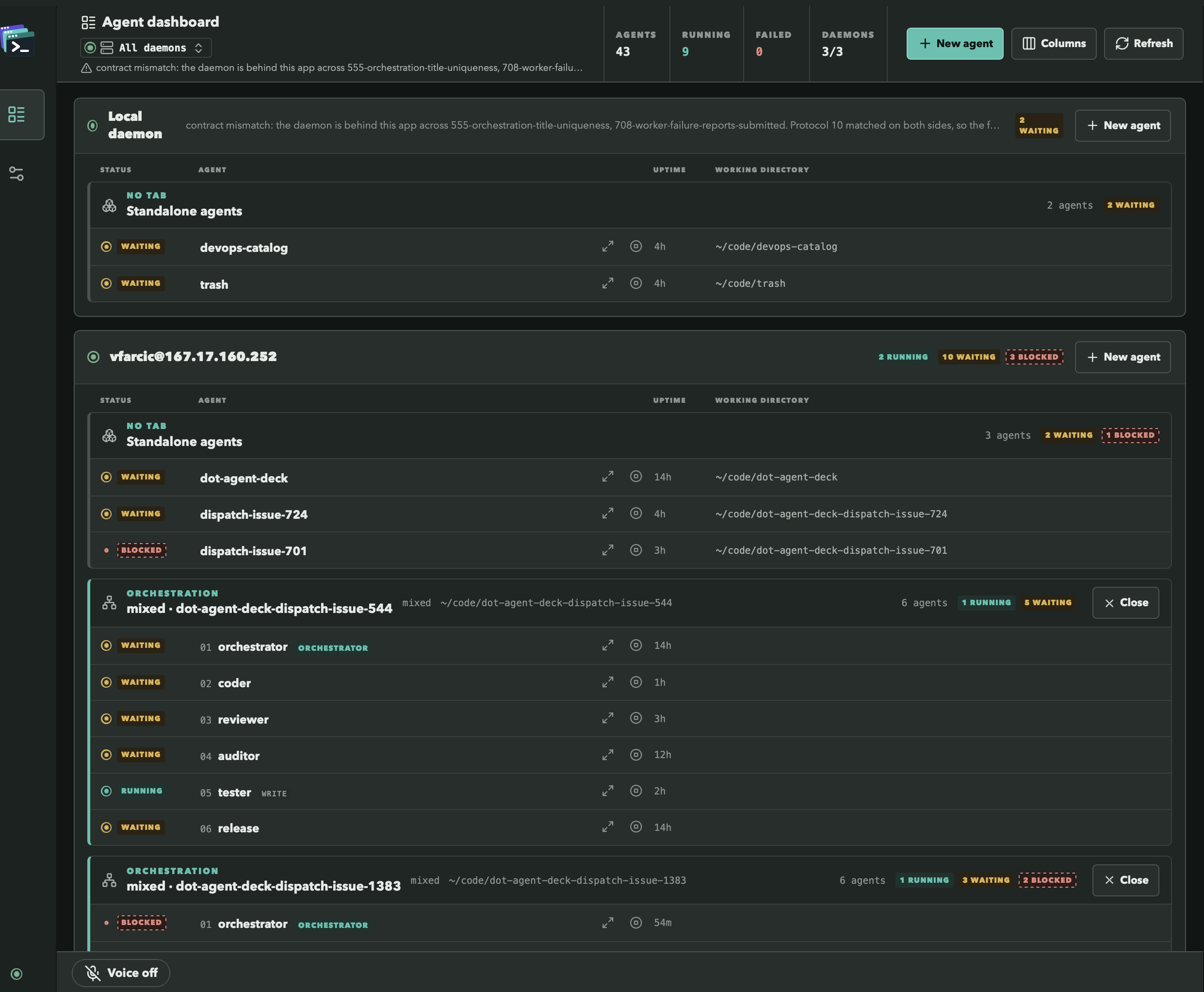
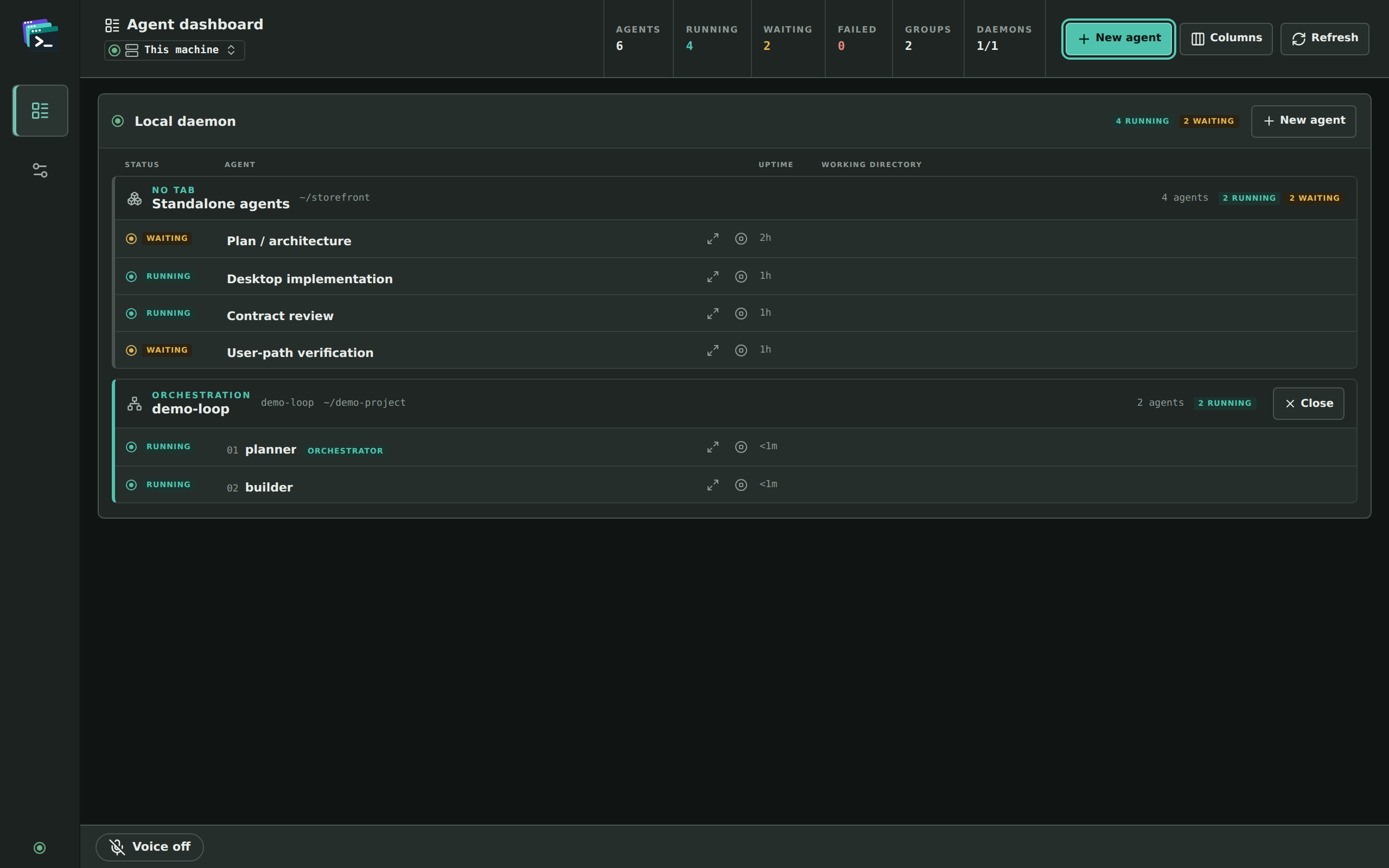
The same six-role orchestration in both clients. In the terminal UI its roles are cards beside the orchestrator’s pane, Claude Code, Pi, OpenCode and Codex side by side; in the desktop app they are a group on a dashboard that spans every daemon, with the orchestrator marked.
Drives the client you already use
Any other command still runs in a pane — it just gets no live status tracking. Adapters for Gemini CLI and Aider are designed and open, not shipped.
The agents run under a small background daemon, not inside a window. The terminal UI and the desktop app are two ways of looking at it, so an agent you start in one shows up in the other, and closing either leaves the agents running.
The dot-agent-deck binary, in the terminal you already use: agent cards beside their live panes, keyboard first, with the Schedules manager and remote hosts over ssh. It attaches to one daemon at a time.
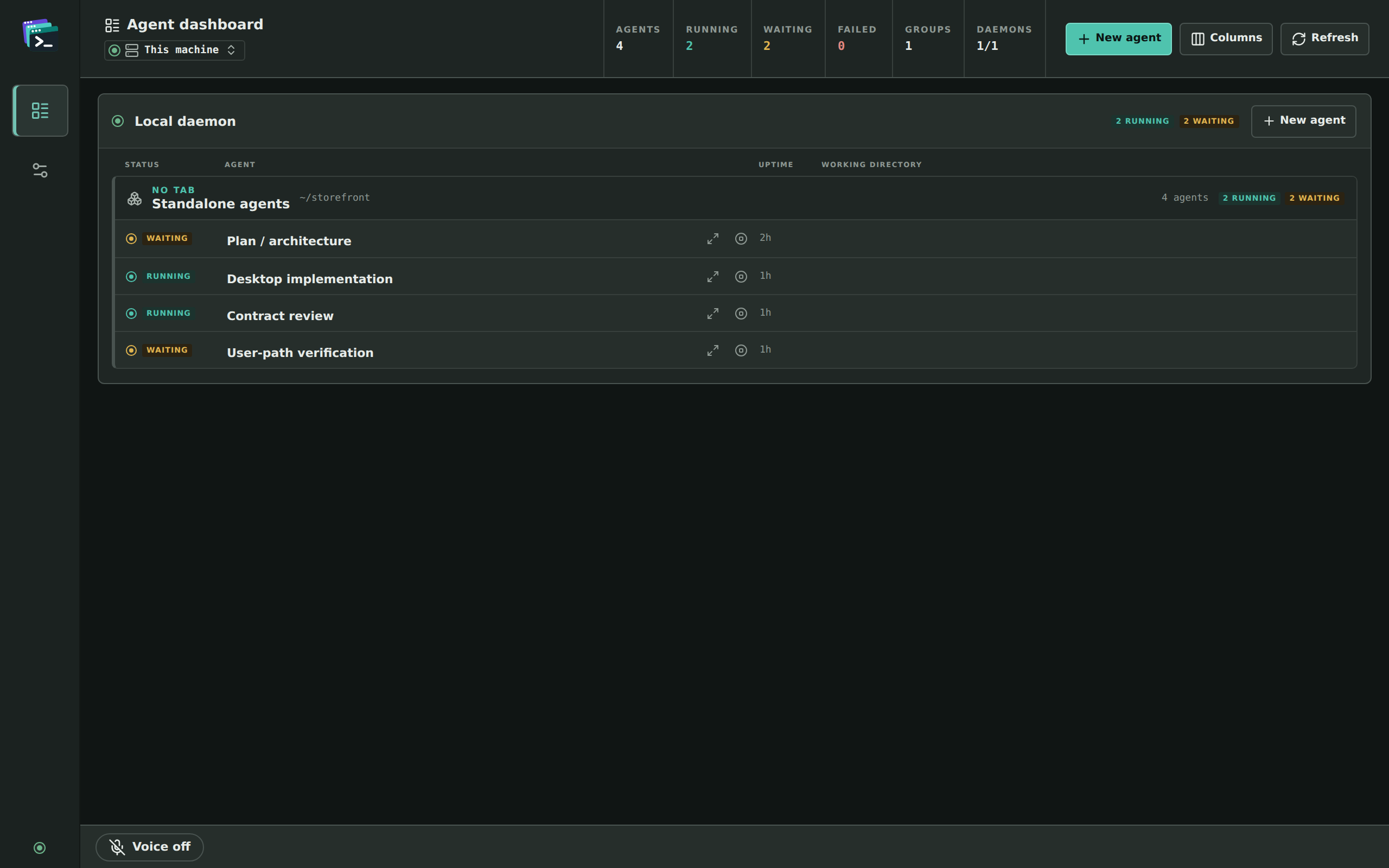
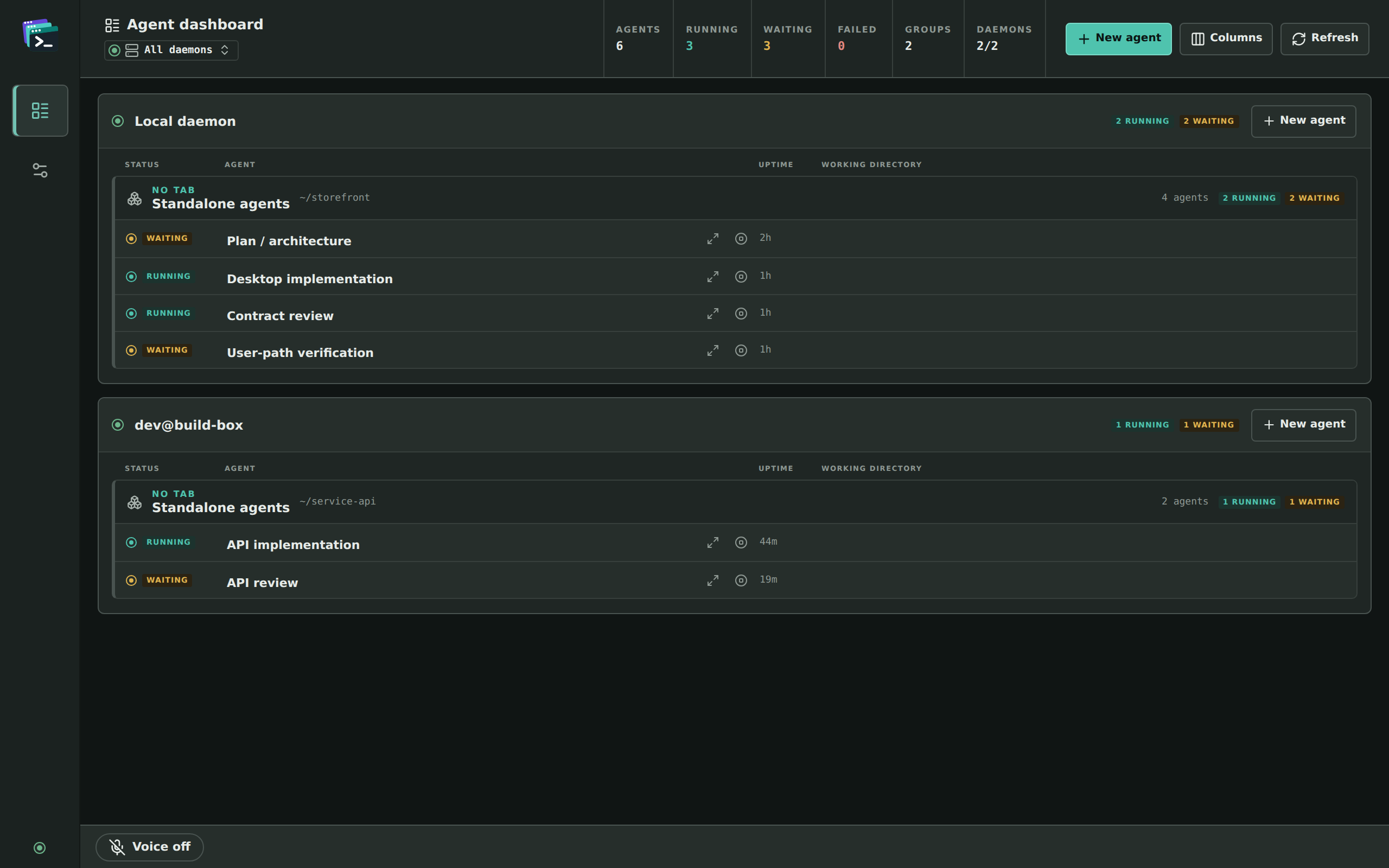
A native window for macOS on Apple Silicon and Linux amd64: one dashboard over several daemons at once — this machine and remote ones — with each agent’s terminal a click away, and voice control. It connects to a running daemon and starts none of its own.
Running one AI agent at a time, you're still a software engineer who happens to use AI. Running many at the same time, you stop being one. You become a project manager supervising a team, a tech lead unblocking them, an architect designing the approach, a product manager deciding what to build.
The agents do the work — writing the code, running the tests, watching the pipelines, answering the review comments. Your job is everything around it — defining the work up front, supervising it in flight, and validating that the right thing got built. None of this is new. It's the same craft people have practiced for decades. The team just looks different.
Agent Deck is the tool that lets you do that without losing your mind. One place holds all of it — a lone agent, a team working under an orchestrator, a unit off in its own copy of the repo — and every one of them is something you can open, watch and type into, in the terminal you already use or in a desktop window beside it, with the agent client you already know.
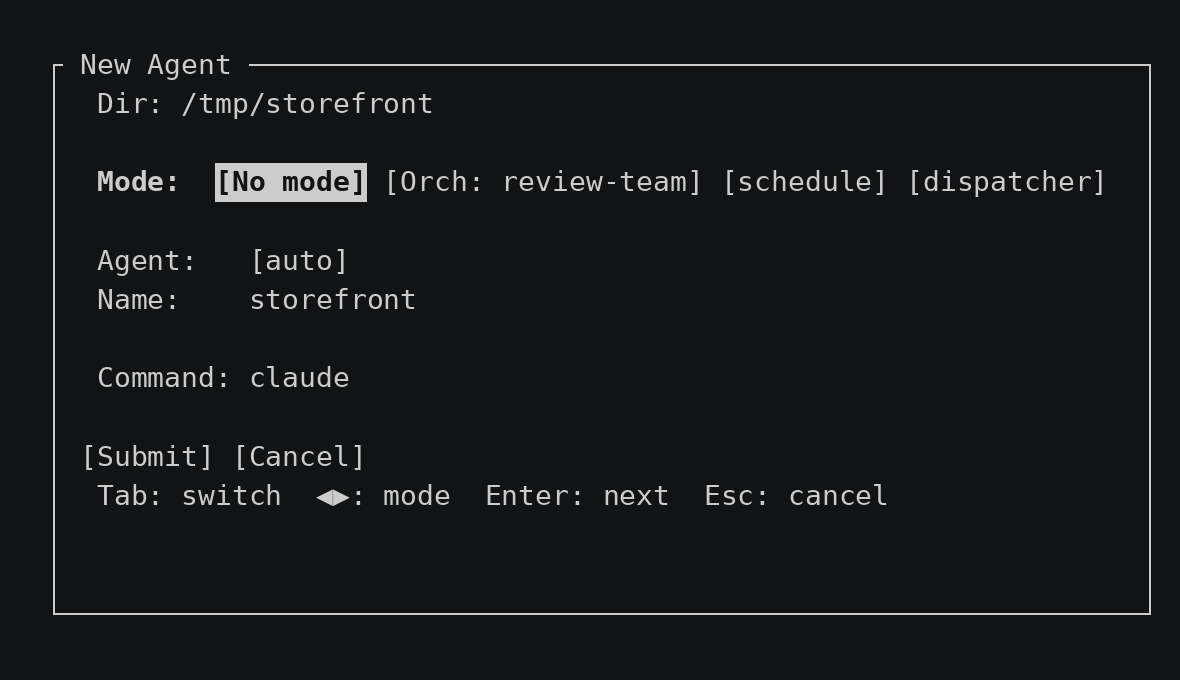
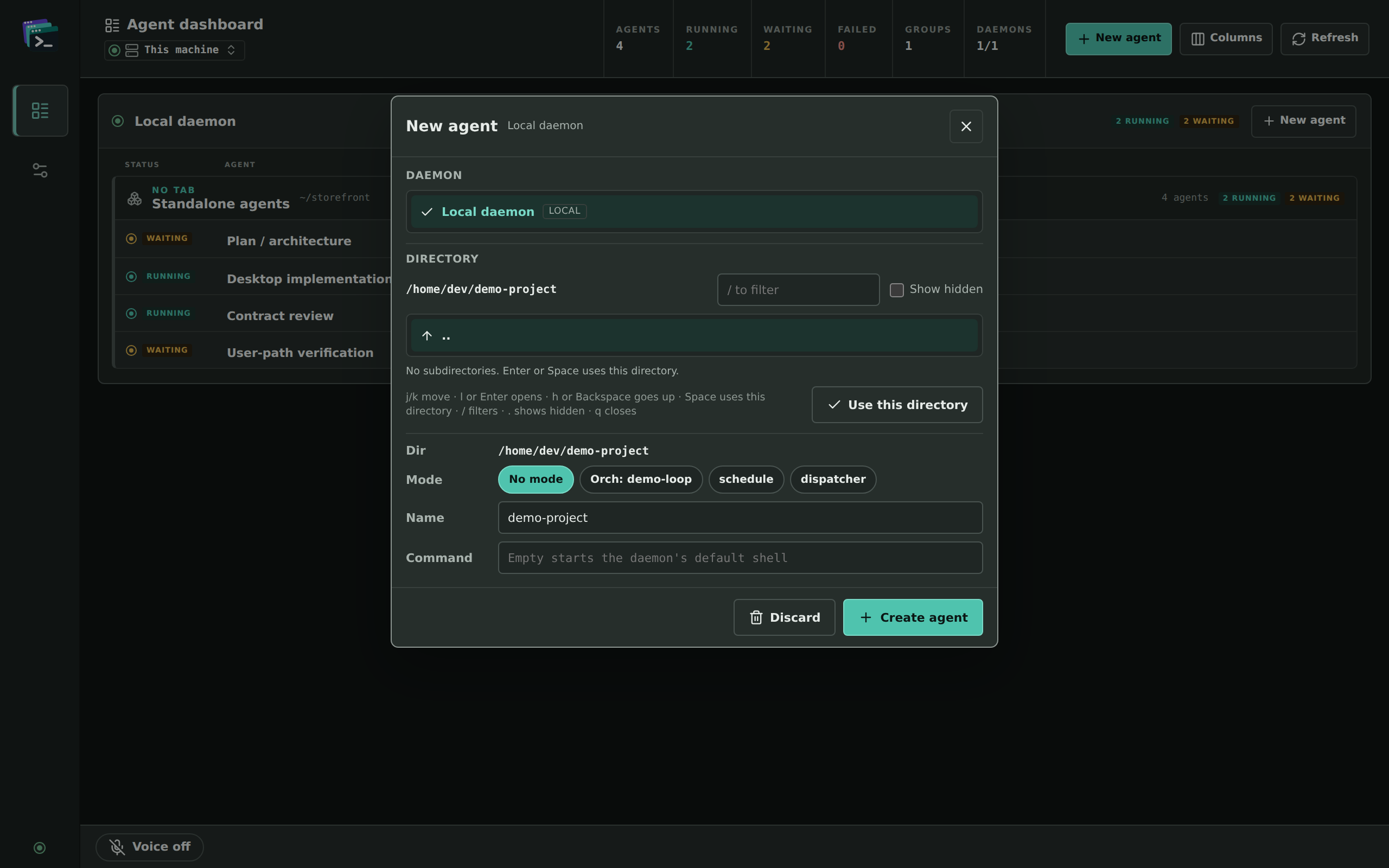
Pick a directory and choose what starts there: Ctrl+n in the terminal UI, New agent in the desktop app. A single agent on the command you give it. A full multi-agent orchestration, every role at once. A dispatcher you can ask for isolated work. Or a scheduled task, written here and fired later by the deck itself.
Every agent shows up live, with what it is doing right now, the tool it is running, its directory and its last prompt, and nothing for you to wire up. In the terminal UI each one gets a card, and the cards get tighter the more agents you run, because the deck would rather shrink them than make you go looking for one. In the desktop app each one gets a row with the columns you choose, and one dashboard can hold the agents of several daemons, on this machine and on remote ones.
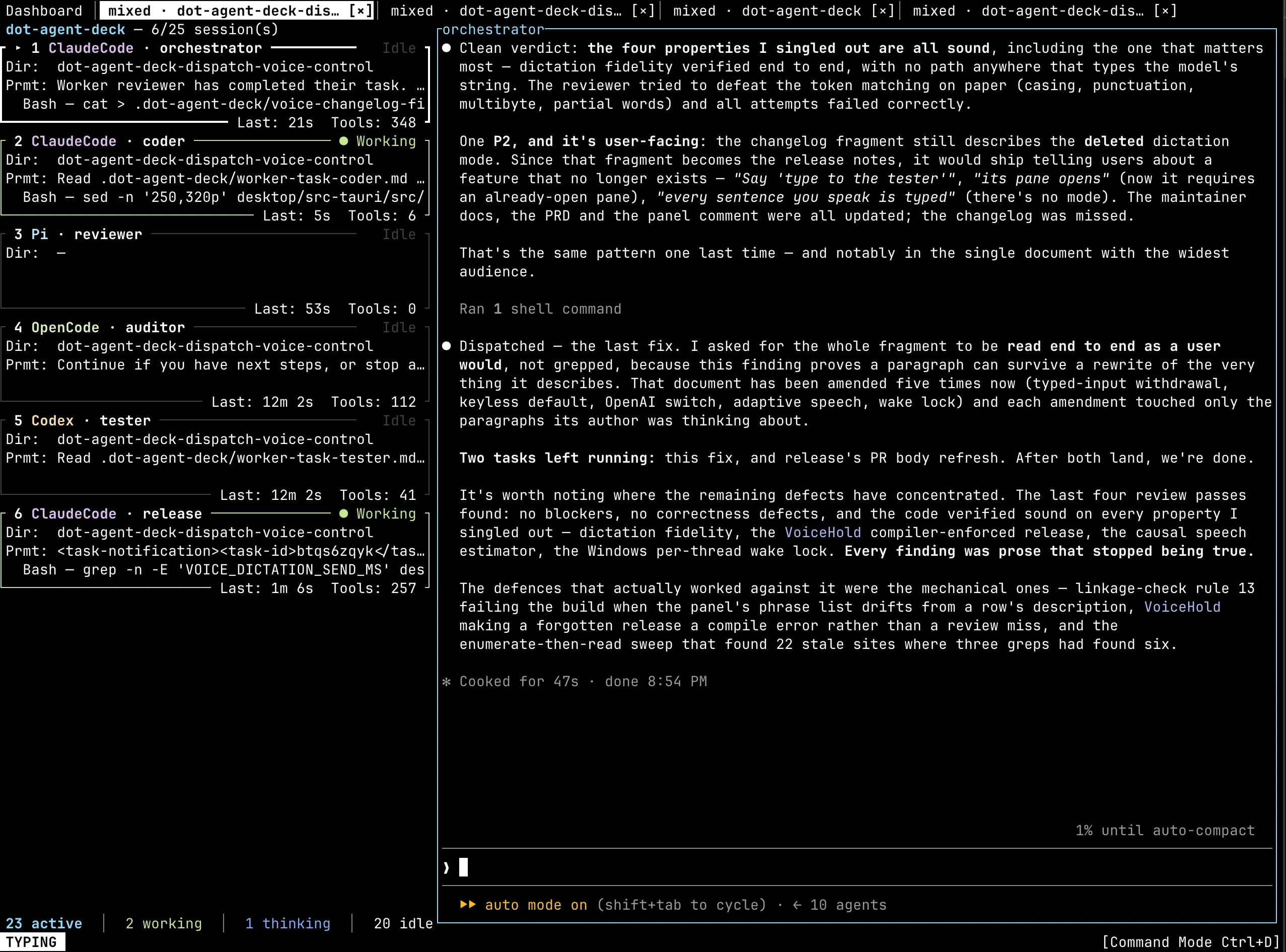
Define the roles your project needs — orchestrator, coder, reviewer, release — and one agent hands each piece of work to the right one. Every worker starts fresh, with only the context it was given, and you watch the hand-offs land: across the orchestration’s tab in the terminal UI, down its group in the desktop app. If a worker goes quiet, the deck tells the orchestrator, so a stalled run does not sit there unnoticed.
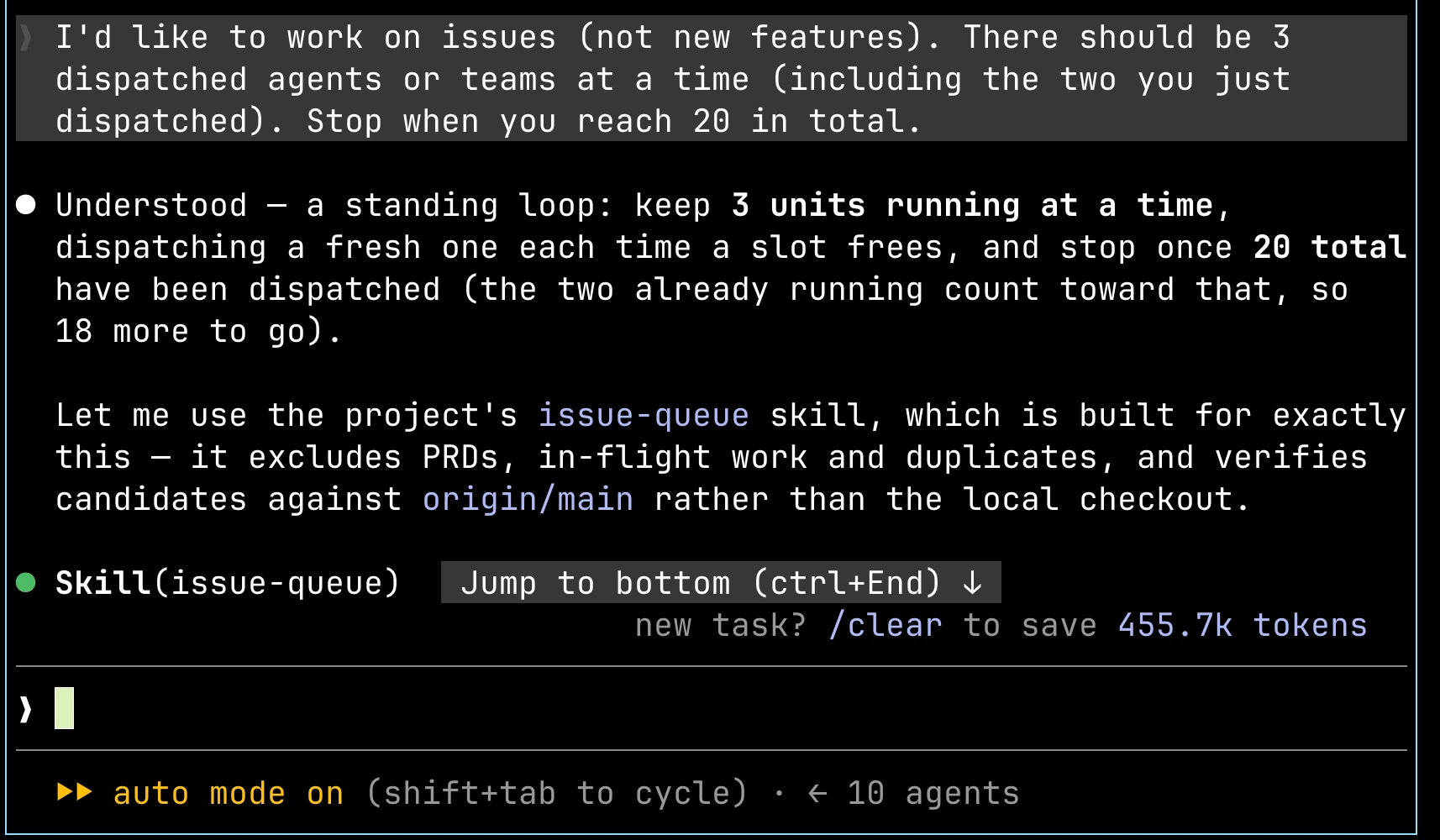
Ask a dispatcher for something — “work on the search bug” — and it makes a separate copy of your repository and puts an agent, or a whole orchestration, to work inside it. It works in that copy rather than in your working tree, so start as many as you like and carry on with what you were doing. Each unit arrives on the deck, as a card or a tab in the terminal UI and as a row or a group in the desktop app, and reports back when it is done.
If you run one agent, in one window, and that is working fine — this is not for you yet. Come back when the second one starts drifting.
The terminal UI runs in Ghostty, iTerm2, Alacritty, Kitty, WezTerm — whatever you already configured — as a guest, not a replacement, with no multiplexer to set up underneath. The desktop app is a native window over the same agents, so you can use either, or both at once.
Claude Code, OpenCode, Pi, Codex or Devin — keep the shortcuts, skills, and configs you already dialed in. No new agent client to learn.
Detach the terminal UI or quit the desktop app, and the agents carry on without you; open either again and you rejoin the same agents, mid-run. The same holds over ssh — agents running on another machine stay running when you disconnect.
In the terminal UI every action is one or two keystrokes away, because managing a team of agents has to fit in muscle memory, and a button bar along the bottom names each command and the key it answers to. The desktop app is built for the pointer, with a few keys of its own, and it can be driven by voice: open screens, start a new agent, and type into one.
Prefer to do it yourself? Installation guide →
The docs are Markdown, written for the coding agent that sets the deck up for you. An AI agent should start at /llms.txt: it indexes every page below, and /llms-full.txt holds all of them in one file. Once the deck is installed, dot-agent-deck docs prints the same pages as they are for that version, with no network access.